AI operating layer for builders · AU
One governed AI operating layer, built around how builders actually work.
Plans in. Quote pack out. You sign off.
A custom operating workspace across sales, estimating, approvals, construction and handover, built around how you already deliver. Specialist agents run the admin. The decisions stay with you.
Quote pack · sample renovation (demo data)
drafting| Item | Basis | $ |
|---|---|---|
| Demolition & strip-out | Rate card | 8,450 |
| Framing & structural | Carpentry hrs | 21,300 |
| Windows & glazing | PC item | 12,000 |
| Electrical rough-in + fit-off | Subbie quote | 9,870 |
| Plumbing & drainage | Subbie quote | 11,240 |
| Cladding & external works | Allowance | 14,600 |
| Internal linings & finishes | Rate card | 16,980 |
| Working number (ex GST) | 117,540 |
Ready for review
$117,540
100% human sign-off
Works with the tools you already run on

















Works with Buildxact, ServiceM8, simPRO, WorkGuru, WunderBuild, AroFlo, Salesforce, HubSpot, monday.com, Xero, MYOB, Gmail, Google Workspace, Microsoft 365, OneDrive, Excel, Word and PowerPoint.
~0 min
from plans in to a working quote pack
0 squads
specialist agent squads, from quoting to finance
0%
of quotes signed off by you before they go anywhere
01Where the load sits
You already carry the trust. The daily operating load still sits with the team.
You have the market position, the process and the people. What you don't have is time. The admin that follows every quote, job and client still lands on the same few desks.
Who it’s built for
Home builders
New homes, knockdown rebuilds, renovations and small developments.
Trade contractors
Sparkies, plumbers, chippies and anyone pricing their own work.
Owner-operators to multi-crew
From one desk doing the quoting at night to a team across sales, estimating and site.
How the work moves
- Enquiry and qualification
- Site review and design selection
- Quoting and tendering
- Approvals, council and titles
- Construction and site supervision
- Handover, defects and warranty
Where the load still sits
- Quoting and selections administration
- Chasing trade and supplier pricing
- Approval and compliance paperwork
- Client updates through the build
- Margin, variations and reporting
- Records spread across systems
02Our aim
Agents run the admin. The decisions stay with you.
Time back in the business through a custom operating system built for builders: agentic solutions that run the admin while the decisions stay with the owners.
Run stronger businesses
Reduce administration, improve estimating and quoting, protect margin and free teams to focus on delivery.
One intelligent workspace
Specialist agents, project knowledge, tasks, documents, approvals and portfolio visibility in one controlled platform.
Practical AI across the business
Useful for sales, estimating, approvals, construction and administration alike, not technology reserved for large enterprises.
Give the team time back
Cut the repetitive admin that follows every quote, job and client.
Improve margin and delivery
Better information, faster workflows and fewer missed steps across every project.
Give owners clear control
See the work, risks and decisions across the business in one place.
Six objectives, one test: do you get time back without losing control?
03The platform
One workspace. The whole business in view.
Ask for work. See what changed. Review the output. Approve what matters.
Where the advantage actually sits
Everyone will have the same AI. The system and structure around it is the advantage.
- Your own rates, rules and thresholds
- Workflows built around how you already work
- Connections into your systems of record
- Named outputs and human approval points
Configured to your business
Agents
Specialist help for each kind of work.
Knowledge
Business, project and document context.
Work outputs
Documents, registers, packs and actions.
Visibility
Moving · waiting · at risk.
Approvals
Material work waits for sign-off.
Connections
Existing systems, where proven.
Configuration
Rules, rates, templates, thresholds and permissions, set for your business.
Estimating is one capability, not the category.
Interface content is conceptual
04Coordinated agent squads
One platform. A specialist agent for every part of the business.
Every specialist agent available to a construction business, and the systems they plug into. Start with the ones that hurt most and switch the rest on as confidence grows.
Not a passive department list, a coordinated set of squads sharing approved context, rules, systems and human checkpoints.
Win & price
- 01Most popular
Estimating & Quoting
Plans, take-offs, trade packages, rate cards, RFQs and master quote packs.
- 02
Marketing & Sales
Lead capture, proposals, follow-up and conversion tracking.
- 03
Tender & Procurement
Tender applications, compliance, supplier comparisons and submission packs.
Deliver & control
- 04
Project Management
Programmes, tasks, client updates and handoffs.
- 05
Safety & Compliance
SWMS, document checks and compliance registers.
- 06
Defects & Handover
Defect lists, handover documents and warranty management.
Run & grow
- 07
Finance & CFO
Cash flow, margins, forecasts and reporting from approved records.
- 08
Administration & Comms
Inbox, records, documents and project communications.
- 09Most popular
Custom Agents
Tailored workflows for the work unique to your business.
05How it works
From plans to priced in three moves.
Quoting is where most builders start. The same workspace then carries the job through approvals, delivery and handover.
Drop in the job.
Plans, subbie quotes, client selections. PDFs, scans, photos, the lot. Builder Agent reads them.
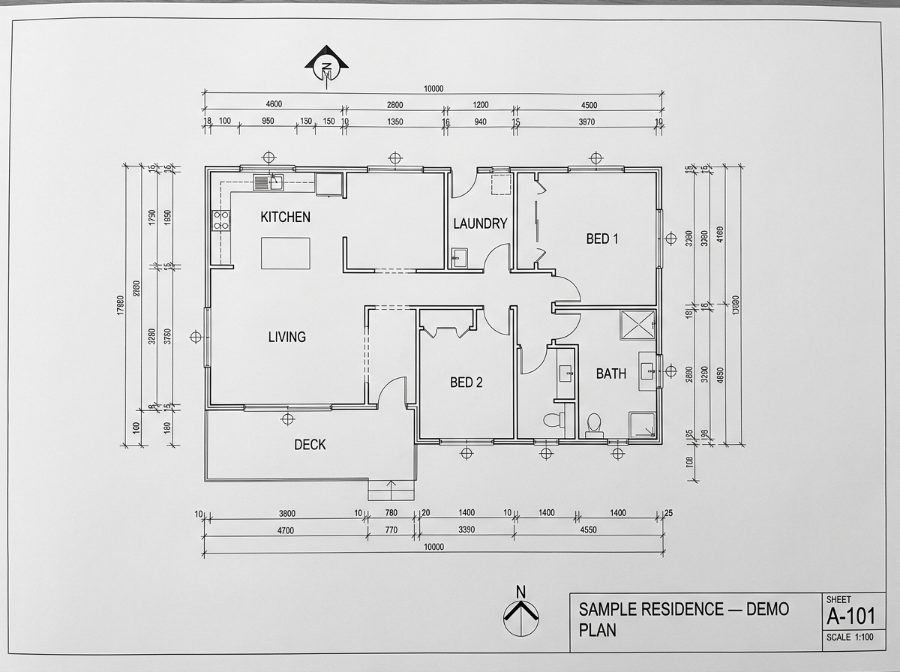
It does the takeoff.
It applies your rate card, carpentry hours, market rates and margin, and builds the cost model, with allowances, PC items and provisional sums included.
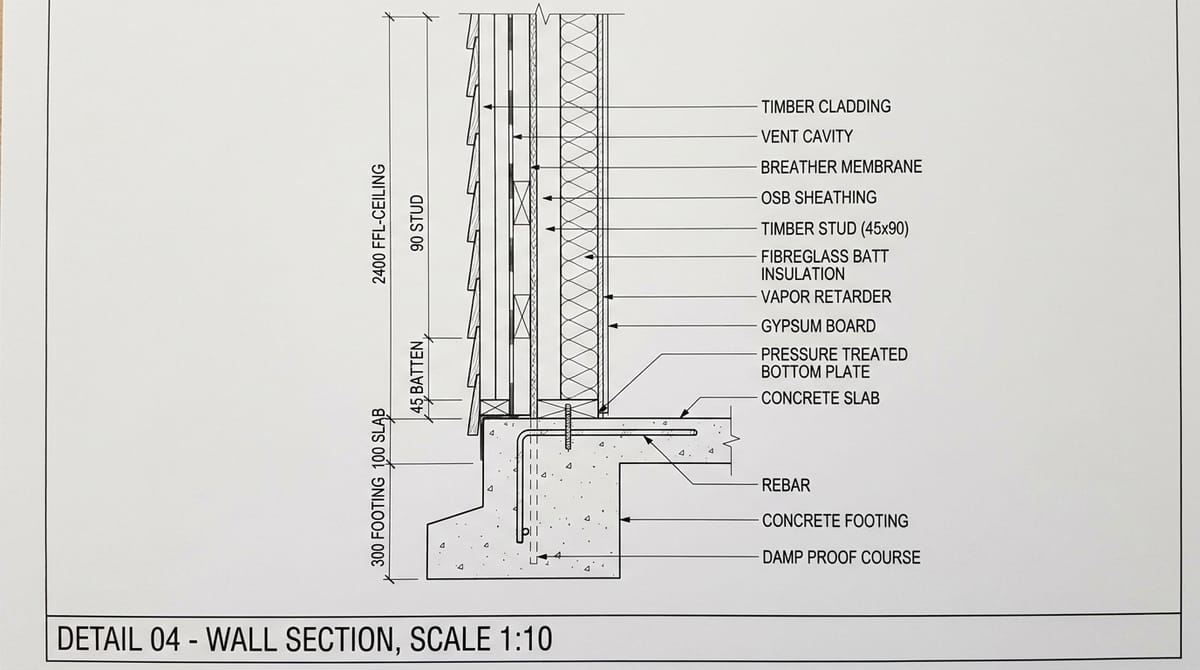
Building cost model…
You review and sign off.
Get a full quote pack: working number, itemised register, exclusions, variation triggers and the open client decisions to lock. You check it, tweak it, put your name to it.
Working number (demo)
$117,540
Watch it work
Built in about 20 minutes.
Plans read, quantities taken off, every line priced on your rates, and a working number you sign off on. This is the agent running a sample residence.
Sample job · fabricated demo data
What you get
A quote pack you can hand straight to the client.
Not a rough number in an email. A structured pack, ready for review and sign-off.
Headline budget with margin, statutory and pass-through costs and GST broken out.
Sample shown with fabricated demo data
The clean, client-facing one-pager: package breakdown plus basis of quotation.
Quotation: kitchen & laundry renovation (sample)
Basis of quotation: drawings rev B · selections schedule v2
Sample shown with fabricated demo data
What's in, what's provisional, and what still needs confirming.
- IncludedDemolition, framing, linings, fit-off as drawn
- PC itemTapware & fixtures: allowance $4,200
- PSExcavation in rock: provisional sum $2,800
- ConfirmBenchtop material: selection pending
Sample shown with fabricated demo data
A working spreadsheet, not a PDF dump. Every tab traceable.
Sample shown with fabricated demo data
The black-and-white wording that stops disputes later.
- ExcludedAsbestos removal beyond visual inspection
- ExcludedLandscaping & external paving
- VariationStructural change after slab pour → variation at rate card
- VariationSelection upgrades above PC allowance
Sample shown with fabricated demo data
The punch-list of selections still to lock before the price firms up.
- 01Confirm benchtop material (stone vs laminate)
- 02Lock appliance schedule (affects electrical fit-off)
- 03External cladding colour (lead time 3 weeks)
Sample shown with fabricated demo data
Want the full thing?
The automation map
Everything it takes off your plate.
The whole grind between “plans received” and “quote ready”, mapped. It all runs on its own, and it all stops at you.
What goes in
Plans & drawings
PDFs, scans, photos
Subbie quotes
Sparky, plumber, the lot
Client selections
Fixtures, finishes, appliances
Your rate card
Rates, margin, prelims
Builder Agent
working- Reads the documents & pulls the numbers
- Runs the takeoff & quantities
- Prices carpentry hours on your rates
- Applies margin, prelims & GST
- Benchmarks allowances to market rates
- Drafts exclusions & variation triggers
- Flags open client decisions
- Runs QA checks & records sources
What comes back
Live Excel workbook
10 tabs, every claim sourced
Client quote summary
The clean one-pager
Exclusions & variations
Dispute-proof wording
Open client decisions
Selections still to lock
Then it stops. Nothing is sent, priced or promised without your sign-off.
You sign off06Capability set
Everything between the plans and the job review.
Pre-construction work builders currently absorb after hours, done in the flow, with the working shown. Then the same operating layer carries the job to completion and turns it back into company knowledge.
From plans to procurement, priced and traceable.
Plans & drawing review
- Drawing register and revision checks
- Trade packages, scopes and gaps
- Clash, discrepancy and RFI flagging
- Quote and construction readiness
Take-offs & estimating
- Trade-by-trade quantity take-offs
- Labour, material, plant, subcontract
- Waste, laps, productivity, escalation
- Every quantity traceable to a plan
Quotes & proposals
- Client-ready quotations from take-offs
- Inclusions, exclusions, provisional sums
- Normalised subcontractor comparisons
- Revision history and approval records
Plan mark-ups
- Measured zones and scope boundaries
- Trade and stage colour coding
- Demolition vs new, by-others areas
- Clean marked-up PDF sets for pricing
Scope of works
- Complete scopes per trade
- Supply, install and interface splits
- Access, cranage, testing, certification
- Tender, subcontract and variation scopes
Tendering & procurement
- Tender packages and bidder lists
- Bid tracking and like-for-like comparison
- Lead-time driven procurement schedules
- Submittals, samples and shop drawings
Variations & cost control
- Change measured against contract scope
- Priced variation submissions
- Variation and contingency registers
- Budget vs committed vs forecast
One connected chain
- Plans → take-off → mark-up
- Estimate → quote → procurement
- Every step reviewable
- Nothing issued without approval
Through delivery, handover and the job review.
Construction documentation
- Execution plans and methodologies
- ITPs, checklists and registers
- Site instructions, minutes, actions
Programming & project management
- Stage, trade and activity breakdowns
- Look-aheads and weekly priorities
- Dependencies and procurement links
Site & quality support
- Site notes and photos into reports
- Inspection checklists and defect tracking
- Defects by area, trade, responsibility
Contract & commercial review
- Obligations summarised in plain English
- Notices, payment terms and key dates
- Head contract vs subcontract terms
Business operations
- Company scope and rate libraries
- Estimate vs actual performance
- Margin leakage and recurring gaps
Revit & BIM intelligence
- Model quantities extracted and validated
- Model vs drawings and specifications
- Incomplete parameters flagged
Controlled automation
- New drawings routed and registered
- Draft scopes, RFQs and reports
- Approval workflows before anything issues
Job review & learning
- Completed projects analysed
- Estimating lessons captured
- Rates and templates updated
Human approval required before anything leaves the business · Legal, contractual and BIM outputs support qualified review; they do not replace it.
07Connections
Every system the Australian industry runs on is a connection candidate.
Where a platform exposes an API, we connect through it. Where it doesn't, we use supported roles, imports and templates.
Construction systems
Job & trade management
- AroFlo
- simPRO
- ServiceM8
- Tradify
- Fergus
- Ascora
- NextMinute
- Formitize
- WorkflowMax
- WorkGuru
Builder & project management
- Buildxact
- Buildertrend
- Databuild
- Beams
- Cheops
- Jobpac
- Procore
- Aconex
- WunderBuild
Estimating & take-off
- Buildsoft Cubit
- iTWO costX
- PlanSwift
- Bluebeam Revu
- EstimateOne
- Beams Estimating
- Groundplan
- Mastt
Safety, compliance & claims
- HammerTech
- SignOnSite
- Assignar
- HazardCo
- Damstra
- 1Breadcrumb
- Payapps
- Progressclaim
And the business tools behind the build
Accounting & payroll
- Xero
- MYOB
- QuickBooks
- Reckon
- Employment Hero
- KeyPay
- Deputy
- Tanda
Workspace & documents
- Microsoft 365
- Google Workspace
- SharePoint
- OneDrive
- Google Drive
- Dropbox
- Excel · Word · PowerPoint
- Docs · Sheets · Slides
Comms & collaboration
- Outlook
- Gmail
- Microsoft Teams
- Slack
- Basecamp
- Asana
- monday.com
- Trello
Sales & marketing
- HubSpot
- Salesforce
- Pipedrive
- Zoho
- ActiveCampaign
- Mailchimp
- Website enquiry forms
- Your CRM of choice
These are the most common systems Australian builders run. Builder Agent can connect with each of them where an API is available. Each connection starts with a conversation with the vendor, then direct API access where it is granted, so what is achievable varies with each system’s API accessibility. Accounting, documents, email and workforce tools stay familiar; Builder Agent structures and routes the work around them.
Not an endorsement claim · no integration is assumed until access is confirmed · representative tools only · third-party terms, licences and account permissions apply
08The technology stack
The technology stack behind Builder Agent.
Multi-model capability. Codex-led execution. One governed operating layer.
User experience
Builder Agent / Squad HQ
The workspace where the team requests work, reviews outputs and approves consequential actions.
Operating layer
Agents · Workflows · Approvals
Reusable business context, rules and integrations coordinate work across your systems.
AI / model layer
OpenAI Codex leads execution
- OpenAI Codex
- Anthropic Claude
- Google Gemini
- Moonshot Kimi
- Perplexity
- xAI Grok
- Meta Llama
Codex is configured for best performance across this vertical. Any other available model can be scoped in where the project needs it. Provider access, licensing and usage remain separately scoped.
Infrastructure layer
Cloudron-managed environment
Builder Agent runs as its own application on Cloudron-managed infrastructure: cloud server, application data services, backups, identity and monitoring configured to the agreed deployment.
Why the managed environment matters.
A repeatable control plane for the application environment, not the AI itself. It runs and governs where Builder Agent lives.
Connector market
1,500+connector tools available on market, with API capability developing rapidly.
Commercial outcome
More repeatable operations, less routine server administration and clearer infrastructure control.
Repeatable deployment
Package-led installation and consistent application configuration.
Central access
Manage user and group access from one directory.
SSO + 2FA
OIDC/LDAP and 2FA where the selected application supports them.
Application isolation
Container isolation, read-only app code and non-root operation by default.
Signed updates
GPG-verified platform updates with a required pre-update backup.
App-level recovery
Back up, restore, clone or migrate individual applications.
Less administration
Automates certificates, DNS and data services.
Infrastructure control
Chosen cloud server with configurable backups and migration paths.
Architecture is configured to the agreed scope; model and infrastructure services are distinct layers with their own terms and controls. Environment capabilities depend on the selected app package, server, backup target and administrator configuration.
09Why a commercial partner matters
We already run this system in our own business.
Zib Digital, our sister business, is the proving ground. Same platform, same governance, same operating model.
Every role
Sales, operations, finance and delivery all run with agents, not one isolated team.
20
People inside the business working with agents every day.
5,000+
Hours of confirmed usage data informing how the system is configured.
Operator, not vendor
We carry the same risk we are asking you to take on.
Learned, not theorised
Workflows, guardrails and adoption patterns come from real use.
Commercially durable
An established business stands behind the delivery commitment.
Zib Digital internal deployment · figures from our own operating data
10The partnership
Success is not launching technology. It is a partnership that keeps going long after go-live.
Five measures we hold ourselves to across the life of the engagement, and three roles that keep delivery governable.
Connect systems, reduce double handling
One operating layer across the systems you already run, so information is entered once.
Improve portfolio and commercial visibility
Clearer view of projects, margin and risk across the business, not job by job.
Build scalable automation and AI capability
Capability that compounds as workflows are proven and the technology advances.
What success looks like
Market-leading technology
Practical, construction-specific AI that keeps improving as the technology advances.
Exceptional support and guidance
Ongoing onboarding, training and hands-on assistance, not simply access to software.
Real improvement in the business
Less administration, faster quoting and delivery, protected margin and clearer visibility.
Strong and sustained team adoption
Your team uses Builder Agent across everyday workflows because it is practical and trusted.
A long-term partnership, not a purchase
The biggest focus of the lot. You and Squad HQ keep developing workflows, tools and training together as the business and the technology change.
Three roles. One team experience.
Clear ownership protects trust and keeps delivery governable.
You
Business owner of the outcome
- Executive sponsor and champion
- Business rules and rates
- Approval authority
- Feedback on real jobs
Builder Agent
The working platform
- Workspace and agents
- Onboarding and configuration
- Training and support
- Product operations
Squad HQ
Delivery and technology layer
- Technology foundation
- Implementation discipline
- Governance controls
- Platform assurance
Business benefit is the shared success measure.
11The team behind it
The people accountable for the platform, the technology and your rollout.
Squad HQ leadership: the technology and implementation partner behind Builder Agent.

Chris Knights
Director · Chief Executive Officer
Director and chief executive of Squad HQ.

Mark James
Director · Chief Technology Officer
Systems and process first, AI second. Twenty years building business systems, process and intelligence platforms, now applied to AI-native operating models.

Matt Arnot
Director · Head of Growth
Has run a building business and coached hundreds of them. Owns the client relationship from first meeting through to ongoing support.
12Getting live
Six stages, one outcome.
Roughly thirty days end to end, from kick-off to your team using the platform on real work.
01.
Kick-off
Align on the outcome, not the software.
Days 1–202.
Discovery
Map the business before we touch the tech.
Days 3–503.
Configure & integrate
Wire Builder Agent into the systems you already run. Includes a planned on-site discovery session with your team, minimum four hours.
Days 6–1604.
Data & training
Clean inputs, confident users.
Days 17–2205.
Pilot & go live
Prove it on real work, then activate.
Days 23–3006.
Optimise & scale
Dedicated ongoing support, with one-on-one meetings treated as an absolute priority.
Days 30+On site and one to one: configuration is done in person with your team wherever we can get to you, and dedicated ongoing support with one-on-one meetings is an absolute priority. You provide an executive sponsor, a project champion, system access and approved rules.
Indicative journey · confirmed in the accepted scope
Talk to it
See what the admin is costing you.
Tell it about your business, how you quote and what tools you run, and it’ll show you exactly where the agents pick up the grind. Ask it whatever you like. Straight answers, no hard sell.
Real answers · no card · leave your email and a human follows up
Builder Agent · Live chat
onlineYou’re still the boss
The agents do the grind. You make the call.
Builder Agent never sends a quote, a variation or a client update on your behalf. The agents draft, estimate and flag the grey areas, then material work waits for your sign-off. Your name only goes on work you’re happy with.
On the tools
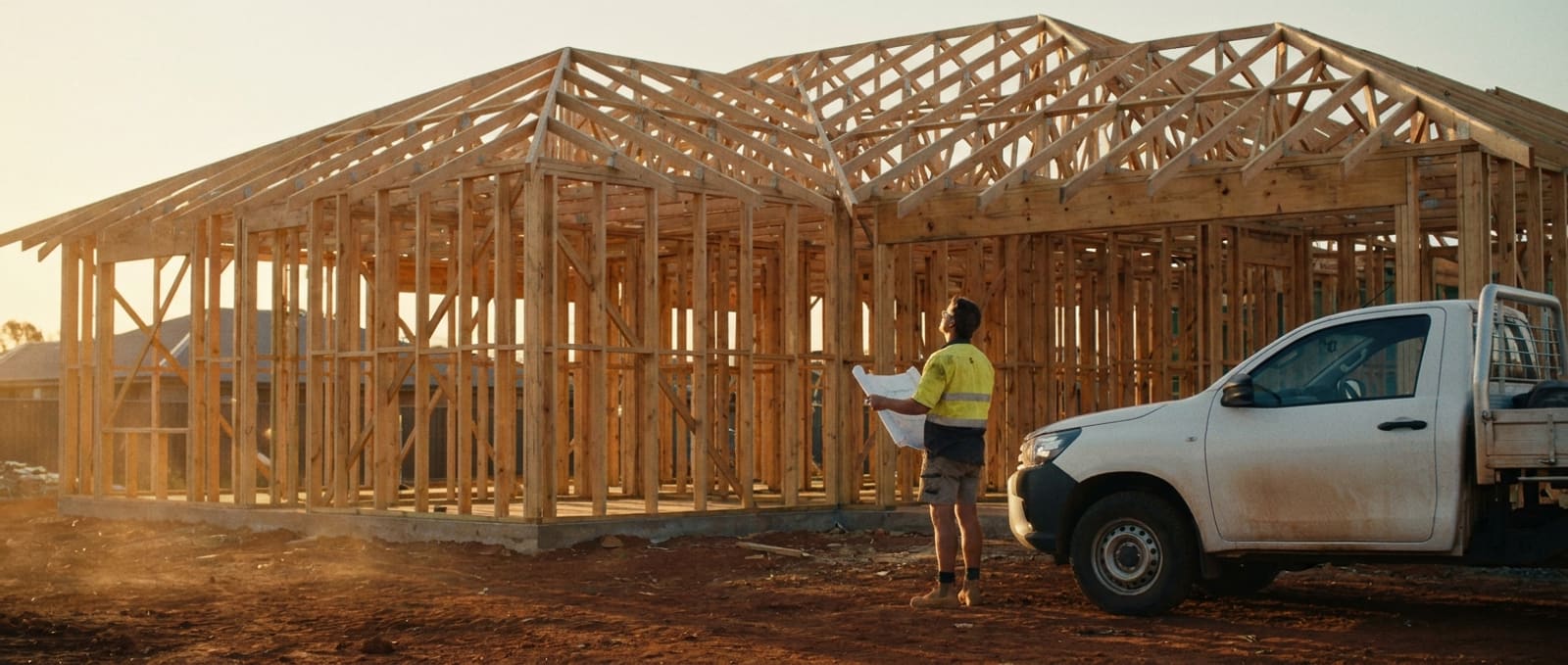
You stay on the job. It stays on the desk.
The takeoff, the pricing and the paperwork grind on without you standing over them. You get your evenings back and the quote still goes out sharp.

Fair questions
Asked by every builder. Answered straight.
Does it only do quoting?
No. Estimating is one capability, not the category. Quoting is where most builders start because it hurts most. The same platform then runs approvals, project comms, safety and compliance registers, defects and handover, finance reporting and the admin around every job. You switch squads on as confidence grows.
Is it accurate?
It prices on your rate card and current market rates, and shows its working. Every quantity is traceable to a plan, and you review every line before it goes out.
Does it replace my estimator, or me?
No. The agents do the grind; you sign off. Material work waits for your approval and nothing leaves the business without it.
What systems does it connect to?
Where a platform exposes an API, we connect through it. Where it doesn't, we use supported roles, imports and templates. The common Australian job, project, estimating, safety, accounting and office tools are all connection candidates, and no integration is assumed until access is confirmed with the vendor.
How long does it take to get live?
Roughly thirty days end to end: kick-off, discovery, configure and integrate, data and training, pilot and go live. Then ongoing optimisation with one-on-one support.
What do I need to bring?
For the demo: plans, any subbie quotes, and your rates. For the rollout: an executive sponsor, a project champion, system access and your approved rules.
What AI does it run on?
It is multi-model. OpenAI Codex leads execution, configured for this vertical, with other models scoped in where a job needs them. The application itself runs in its own managed, isolated environment with single sign-on, two-factor authentication and app-level backups.
Is my data safe?
Your plans, rates and pricing stay yours. Builder Agent runs as its own application on managed infrastructure with container isolation, signed updates and a required backup before every update. We'll walk you through exactly how your data is handled on the demo.
What does it cost?
We'll run you through pricing on the demo. The demo itself is free, no card needed.
What happens after the demo?
We confirm the scope, agree what switches on first, and set a kick-off date. The rollout then runs to a six-stage framework, roughly thirty days end to end.
Who supports us after go-live?
A named person, not an inbox. One-on-one meetings are treated as an absolute priority, and the platform keeps being developed with you as the business and the technology change.
What trades is it for?
Builders, sparkies, plumbers, chippies. Anyone pricing and running their own work, from one desk to a multi-crew business.
The opportunity
Build a stronger business behind every job.
See Builder Agent price one of your real jobs, then talk through where the rest of the admin goes. Book a 20-minute demo and bring a set of plans.
You
The market position, the process and the people.
Builder Agent
In the flow of the team's working day.
Squad HQ
Underneath, enabling governed delivery.
Free · 20 minutes · bring a set of plans
Or start smaller